


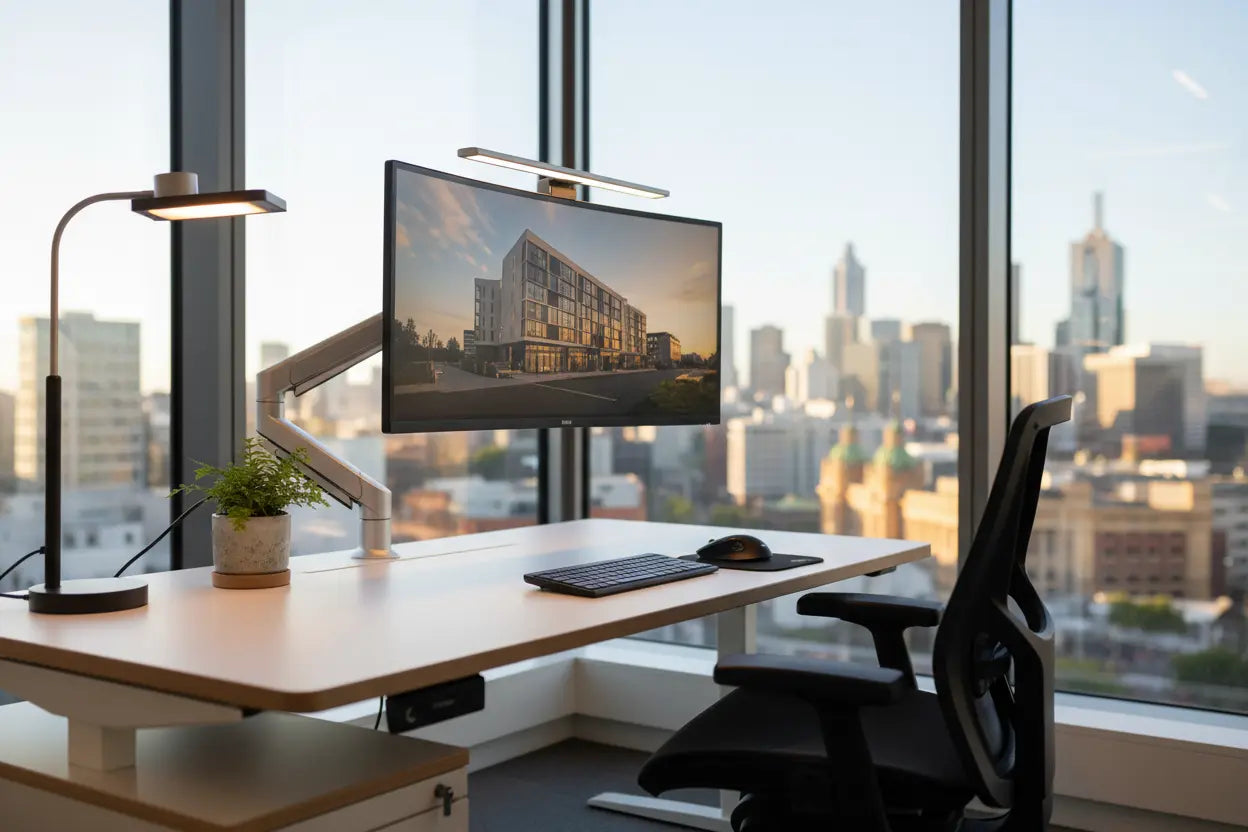
When a Standing Desk Isn't Enough
In the fast-paced world of Melbourne commerce—particularly finance, IT, and creative fields—work is increasingly done across multiple screens for extended periods. While the adjustable chair and the sit-stand desk were the Ergonomics 1.0 standards, they no longer fully protect the high-intensity worker from the most common modern complaints: Digital Eye Strain (DES), chronic neck pain, and headaches.
These symptoms stem from a misalignment of the interface (the screen) with the user's body. In a hybrid, hot-desking environment, the chances of misalignment are even higher. For businesses in Melbourne competing for the best talent, failing to address these advanced ergonomic issues is a critical oversight that leads to absenteeism and reduced productivity.
At McLernons Business Base, a local Australian business with 30+ years of experience providing high-quality office furniture Melbourne trusts, we understand the science of the advanced workstation. This guide outlines the two essential Ergonomics 2.0 upgrades—the Monitor Arm and Task Lighting—that every Melbourne office fitout needs to implement for a healthier, more productive workforce.
Upgrade 1: The Essential Investment—Dynamic Monitor Arms
The monitor arm is arguably the most powerful yet undervalued piece of ergonomic equipment in the modern office. It transforms a static screen setup into a fluid, customized interface, crucial for preventing musculoskeletal issues.
A. Beating Neck and Back Pain (The Physical Ergonomics)
When a monitor sits on a desk, it is almost always too low, forcing the user to unconsciously crane their neck forward (the "turtle neck" posture). This adds immense strain to the cervical spine.
-
Custom Height and Depth: A quality monitor arm allows the user to instantly adjust the screen height to eye level (where the top third of the screen is level with the eyes) and the screen depth to ensure comfortable viewing distance.
-
Dual-Screen Optimisation: For the majority of Melbourne professionals running multiple applications (e.g., designers, traders, analysts), dual-monitor arms are essential. They allow both screens to be perfectly aligned in a seamless arc, eliminating the need for constant, jarring head turns, which is a major cause of neck pain.
-
Hot-Desking Necessity: In a hybrid hot-desking model, the monitor arm is non-negotiable. It allows every single user, regardless of their height or preferred viewing angle, to personalize the shared screen setup in seconds.
McLernons Insight: When procuring office furniture Melbourne businesses should look for monitor arms that are robust, easy to adjust (using gas-spring mechanisms), and capable of managing heavy dual-screen setups. Our range integrates seamlessly with our sit-stand desks, maintaining a clean, cable-free aesthetic.
B. The Decluttering and WHS Advantage
A monitor arm removes the screen's base from the desk surface, instantly freeing up valuable real estate—a crucial benefit in smaller Melbourne CBD offices. Furthermore, by elevating the screen cables off the desk, it vastly improves cable management, reducing the risk of tripping and improving overall workstation safety (WHS compliance).
Upgrade 2: The Vision Saver—The Power of Personal Task Lighting
Digital Eye Strain (DES) is now an epidemic, characterized by dry eyes, blurred vision, and light sensitivity. This is often caused by an imbalance between the screen's brightness and the ambient lighting in the office. Ergonomics 2.0 requires personalized, high-quality task lighting.
A. Mitigating Glare and Flicker
The most damaging light issues come from poor overhead office lighting (fluorescent flicker) and screen glare.
-
Asymmetrical Task Lamps: The best desk lamps are designed to cast light across the desk surface without causing glare on the computer screen. Look for lamps with adjustable heads and dimming controls.
-
Balance the Brightness: A task lamp helps balance the overall light level in the immediate workspace with the screen's light output, reducing the contrast that causes eye fatigue. This is especially important on dark, rainy days in Melbourne or during long evening work shifts.
Furniture Integration: Modern lighting systems are designed to clamp onto the edge of the desk or attach directly to the monitor arm, ensuring the light source is always positioned optimally relative to the screen, not dictated by the desk's location.
B. The Psychological Comfort of Control
Ergonomics extends to psychological well-being. Giving the employee control over their immediate environment—the height of their monitor, the brightness of their lamp—improves job satisfaction and reduces stress.
-
Colour Temperature: High-end task lamps allow users to adjust the colour temperature (warm yellow to cool blue). This empowers the user to set a cooler light for high-concentration work and a warmer light for creative or relaxed tasks, improving focus.
-
Energy Efficiency: Modern LED task lighting is highly energy efficient. While the upgrade may seem small, the collective energy savings from employees using focused task lighting instead of high-power overhead ambient lighting contributes positively to the sustainability goals important to many Melbourne firms.
Implementation: Making the Upgrade Accessible (McLernons' Strategy)
A successful Ergonomics 2.0 upgrade requires two things: quality products and easy deployment.
-
Standardise, Don't Customise: The best way to make this upgrade cost-effective is to standardise on one or two high-quality models (e.g., a dual-monitor arm and a dimmable LED task lamp) across the entire office. Bulk procurement of these items drives down unit costs.
-
Training and Onboarding: Ensure all employees receive brief, clear training on how to adjust their monitor arm and lamp correctly. Even the best equipment is useless if it’s not set up for the user.
-
Local Warranty Support: These are high-use mechanical items. Partnering with a local Australian business like McLernons Business Base ensures that if a gas-spring fails on a monitor arm, replacement and service are handled with great local warranties and quick deliveries, minimizing staff downtime.
The Talent Retention Angle: By providing these advanced tools, the business signals a proactive commitment to employee health. In the highly competitive Melbourne talent market (where top tech and finance professionals can choose where they work), a fully optimised, ergonomic workspace is a powerful differentiator that enhances loyalty.
Elevating Your Melbourne Workspace
The ergonomic battle is no longer won with just a chair. The next generation of workplace wellness—Ergonomics 2.0—demands that we address the challenges posed by high-intensity screen work. The investment in dynamic monitor arms and personalized task lighting is a necessary move to protect your most valuable asset: your people.
McLernons Business Base has the 30+ years of experience to equip your team with the highest quality, most reliable ergonomic accessories and office furniture Melbourne can offer. We help you transform your desks from static workstations into dynamic, health-supporting interfaces.
Ready to beat digital eye strain and upgrade your Melbourne office to Ergonomics 2.0? Contact McLernons Business Base today for a consultation on advanced ergonomic accessories.