


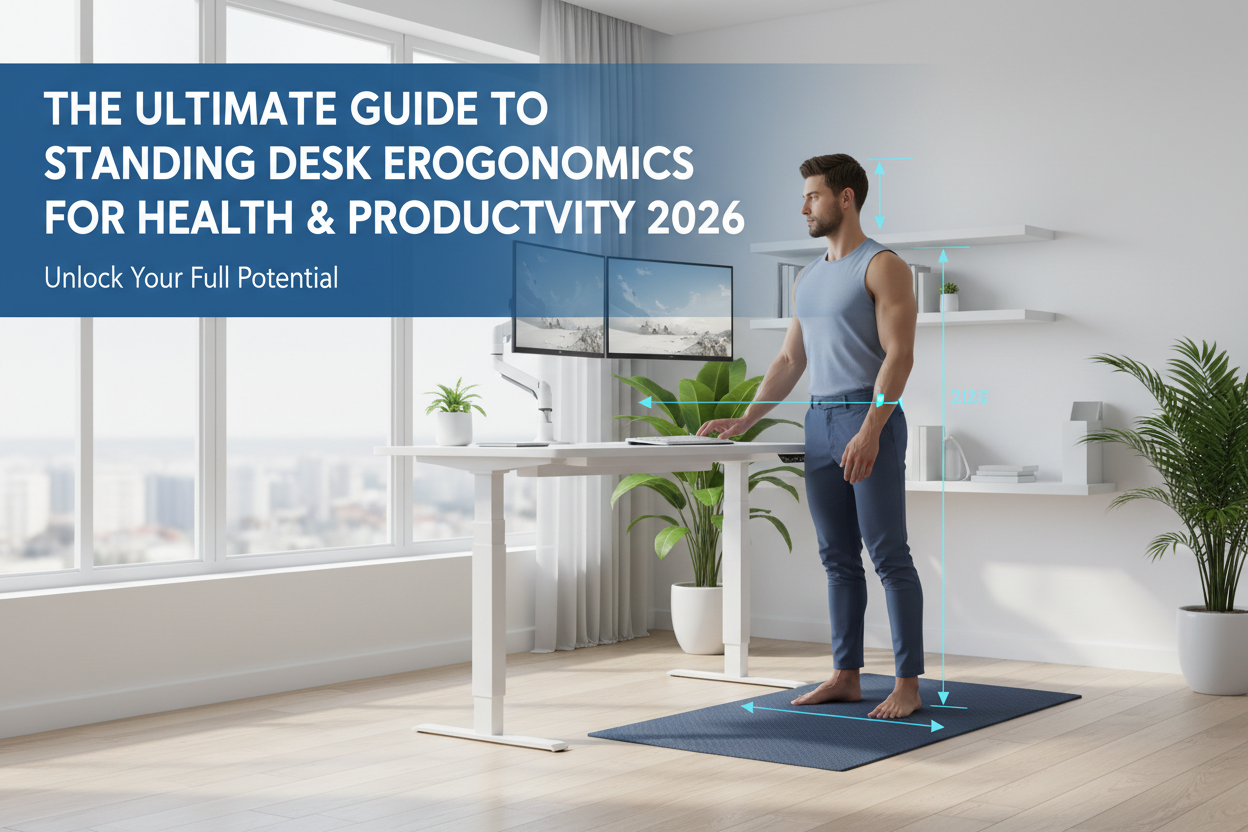
Modern Australian workplaces increasingly embrace sit-stand desks to combat the health risks of extended sitting. Transitioning between sitting and standing not only helps alleviate physical strain but also boosts focus and productivity. However, unlocking the full benefits requires more than just standing — a carefully tailored, ergonomic setup is key. This guide explores practical adjustments and strategies designed to create a dynamic, comfortable workspace that supports wellbeing and work efficiency through smart sit-stand desk ergonomics.
Why Standing Desk Ergonomics Matter for Health and Productivity
Prolonged sitting can contribute to musculoskeletal issues, poor circulation, and decreased energy levels. Sit-stand desks offer a powerful solution by encouraging regular posture changes. But without proper ergonomic setup, users risk replacing one problem with another, such as neck or wrist strain. Correct standing desk ergonomics ensure relaxed shoulders, neutral wrists, and optimal monitor position, promoting comfort and reducing fatigue. Furthermore, integrating movement and alternating postures enhances alertness and productivity, turning your standing desk into a tool for lasting health and work performance gains.
Understanding the 20-8-2 Rule: How to Alternate Between Sitting, Standing, and Moving
The 20-8-2 rule suggests dividing each hour into 20 minutes sitting, 8 minutes standing, and 2 minutes moving. This balance helps reduce the risks linked to both prolonged sitting and standing. Movement breaks refresh muscles and circulation, preventing stiffness and enhancing focus. For some routines, intervals such as 30 to 45 minutes per posture may work better. Consistency in switching positions is more important than strict adherence to exact durations, promoting healthy habits that fit individual workflows.
How to Adjust Your Desk for Proper Ergonomics
Proper desk height is fundamental to sit-stand desk ergonomics. When standing, set your desk surface at elbow height with elbows bent roughly at 90 degrees. This positioning supports relaxed shoulders and keeps wrists straight, crucial for avoiding strain during typing or mouse use. When sitting, adjust your desk to allow comfortable arm support without slouching. Desks with programmable height settings or paddle controls simplify smooth transitions between positions. Organising cables with built-in management systems keeps your workspace tidy, reducing distractions and enhancing focus.
Optimizing Your Monitor Position and Screen Setup
Align the top of your monitor at or slightly below eye level, positioning it about an arm’s length away. This setup maintains a natural neck angle and minimizes strain. A slight backward tilt of 10 to 15 degrees further supports comfortable viewing. Using adjustable monitor arms enables precise height and angle changes for both sitting and standing postures. Laptop users benefit from external monitors, keyboards, and stands to uphold ergonomic monitor height and avoid screen glare, reducing eye and neck fatigue.
Setting Up an Ergonomic Chair for Sitting at a Sit-Stand Desk
An ergonomic chair complements your sit-stand desk by providing essential support during sitting periods. Adjust chair height so thighs remain parallel to the floor, ensuring feet rest flat or on a footrest. Seat pan depth should support the thighs without pressure behind the knees. Armrests positioned to align with desk height support forearms comfortably. Chairs with adjustable lumbar support help maintain the natural curve of the lower back, especially vital for those experiencing back discomfort. Investing in ergonomic office chairs with customizable features ensures adaptability for all body types.
The Ideal Standing Posture and Position to Prevent Fatigue
Stand with a neutral spine, keeping shoulders relaxed and head aligned over your spine to maintain balance. Distribute your weight evenly across both feet, and keep knees slightly bent to avoid locking joints, which can cause stiffness. Periodically shifting your weight or taking micro-movements helps reduce muscle fatigue and enhances circulation. Incorporating an anti-fatigue mat cushions your feet and encourages subtle movements that ease pressure on legs and back. Wearing comfortable, supportive footwear further lessens discomfort and supports standing endurance.
Choosing and Using an Anti-Fatigue Mat Effectively
Anti-fatigue mats are cushioned floor mats designed to reduce strain on feet, knees, and lower back during prolonged standing. They encourage micro-movements, improving blood flow and reducing muscle fatigue. When selecting a mat, ensure it adequately covers your standing area and suits your flooring type, providing stability and durability. Maintaining your mat by cleaning and rotating it regularly helps preserve its ergonomic benefits and extends its lifespan for continuous support.
How to Set Desk and Chair Heights by Your Body Height
Customising desk and chair heights to your body dimensions is essential for a comfortable, neutral posture. For standing desk height, aim to position the surface at approximately elbow height with arms relaxed at your sides. Sitting desk height depends on chair height, with thighs parallel to the floor and feet flat. Monitor placement should keep the top of the screen at eye level about 50-70 cm from your eyes. Shorter individuals may need monitor arms with downward adjustment and footrests to support leg positioning. Taller users might require desks with higher height ranges and chairs with deeper seat pans. Measure your elbow height from the floor and adjust incrementally, ensuring no shoulder or wrist strain occurs. Tailored settings promote long-term comfort and reduce the risk of musculoskeletal issues.
Essential Desk Features That Support Ergonomic Standing Desk Setup
Key standing desk features include smooth, quiet height adjustment mechanisms and programmable settings for preset sitting and standing heights. Robust construction ensures stability at all levels, preventing distractions caused by wobbling. Built-in cable management hides clutter, maintaining an organised workspace that fosters concentration. Desks with ample surface area accommodate monitors, keyboards, and accessories comfortably, while compatibility with monitor arms and other ergonomic attachments enhances layout flexibility.
Using Movement to Maximize Standing Desk Benefits
Standing desks excel when paired with regular movement to combat stiffness and boost circulation. Instead of remaining static while standing, incorporate small frequent walking breaks or gentle stretches following the 20-8-2 rule. Vary foot positions by shifting weight or using footrests to reduce tension. This dynamic approach supports both physical health and mental alertness, turning your standing desk into a catalyst for productive, energised workdays.
Maintaining Mental Health and Focus with Standing Desk Ergonomics
Standing improves blood flow and oxygen to the brain, enhancing alertness, mood, and cognitive function. Maintaining good posture reduces aches that can distract or drain energy, indirectly supporting mental wellbeing. Creating a workspace with natural lighting and minimal clutter elevates mood and focus. Incorporating regular posture checks and mindful pauses throughout the day further reduces stress, sustaining productivity and overall mental clarity.
Common Standing Desk Ergonomics Mistakes and How to Avoid Them
Incorrect desk height and poor monitor placement are common pitfalls causing neck strain and wrist pain. Standing too long without breaks leads to leg fatigue and discomfort, undermining productivity. Wear supportive footwear and use ergonomic accessories like anti-fatigue mats to alleviate pressure. Gradually increase standing time to build endurance, and regularly assess posture to prevent slouching or leaning. Listening to your body's signals and making small adjustments ensures a sustainable and comfortable standing desk experience.
Adjustable Chairs vs. Ergonomic Chairs: What You Need for a Sit-Stand Desk
Adjustable chairs allow basic height and tilt modifications, but ergonomic chairs incorporate advanced features designed to support proper posture and comfort, such as lumbar support, armrest adjustability, and seat depth variation. For sit-stand desk users, investing in a quality ergonomic office chair ensures comfort during sitting periods and prevents musculoskeletal strain. Periodically reviewing chair settings and maintenance prolongs their effectiveness and contributes to your workspace wellbeing.
Accessories That Enhance Your Standing Desk Setup
Essential accessories include monitor arms for precise screen positioning, keyboard trays to maintain wrist alignment, anti-fatigue mats for cushioning while standing, and task lighting to reduce eye strain. These tools improve ergonomics and streamline your workflow. Choosing accessories compatible with your desk features supports seamless integration. Prioritise upgrades based on your specific needs and budget, gradually enhancing comfort and productivity.
Tips for Transitioning Smoothly from Sitting to Standing
Begin with short standing periods of 5 to 10 minutes, gradually increasing duration over several weeks. Plan sit-stand cycles throughout the day to manage fatigue and build endurance. Pay close attention to your body’s comfort levels to avoid overexertion. Incorporate gentle stretches and movements during transitions to ease muscle tightness and improve circulation, making the switch between postures enjoyable and sustainable.
How to Maintain Good Posture While Using Your Standing Desk All Day
Maintain a neutral spine with relaxed shoulders and an aligned head to prevent strain. Distribute weight evenly between both feet to promote balance and reduce fatigue. Conduct mindful posture checks and adjustments during the day to avoid slouching or leaning. Supplement standing periods with ergonomic stretches and mobility exercises to prevent stiffness, supporting comfort and endurance at your sit-stand desk.
Integrating Sit-Stand Desks Into Your Daily Workflow for Maximum Productivity
Plan work tasks around your sitting and standing cycles—use standing for high-energy activities like meetings or brainstorming, and sitting for focused, detailed work. Employ reminders or dedicated apps to prompt timely posture changes. Proper ergonomics combined with thoughtfully scheduled transitions help maintain consistent productivity and reduce fatigue throughout the workday.
FAQs on Standing Desk Ergonomics
How long should I stand? Start with short intervals like 10-15 minutes, gradually increasing up to 30-45 minutes. Balance standing with sitting and moving breaks to prevent fatigue.
Do I need an anti-fatigue mat? Yes, these mats reduce strain on feet, knees, and back by encouraging micro-movements during standing.
Can I use my laptop with a standing desk? For proper ergonomics, use external monitors, keyboards, and laptop stands to maintain screen height and wrist position.
Refer to earlier sections for detailed guidance on setup and accessories.
Achieving Balanced Standing Desk Ergonomics for Longevity
Adapting your sit-stand desk setup to your body’s needs with ergonomic principles fosters sustained comfort and health. Continual adjustments informed by your body's feedback maintain an optimal posture. Combining quality ergonomic furniture, regular movement, and thoughtful workspace organisation unlocks the full potential of sit-stand desks for improved wellbeing and productivity. Embrace these practices to make standing desks a lasting asset in your work environment.